Vision Board · The Lightroom Academy

Your taste,
mapped.

Clip any photograph from anywhere on the web. Vision Board titles it, understands it, and pins it to the exact place on earth it was made.

drag to spin · pinch to dive
Request early access Private by design — your library lives with you
SCROLL
Capture without friction

If you can see it,
you can keep it.

One photograph — or every photograph in an article. "Top 10 places in the Dolomites" becomes ten located references in a single click, with the story riding along as context.

🖱️
Right-click anything

The Clipper extension saves any image, or imports every photo on a page — Chrome, Comet, Safari.

⌘V
Paste or drag a link

Articles, galleries, even YouTube — dropped on the board, pulled apart into references.

✨
Analyzed on arrival

Titled by what it is, tagged, credited, graded for light, composition, and moment.
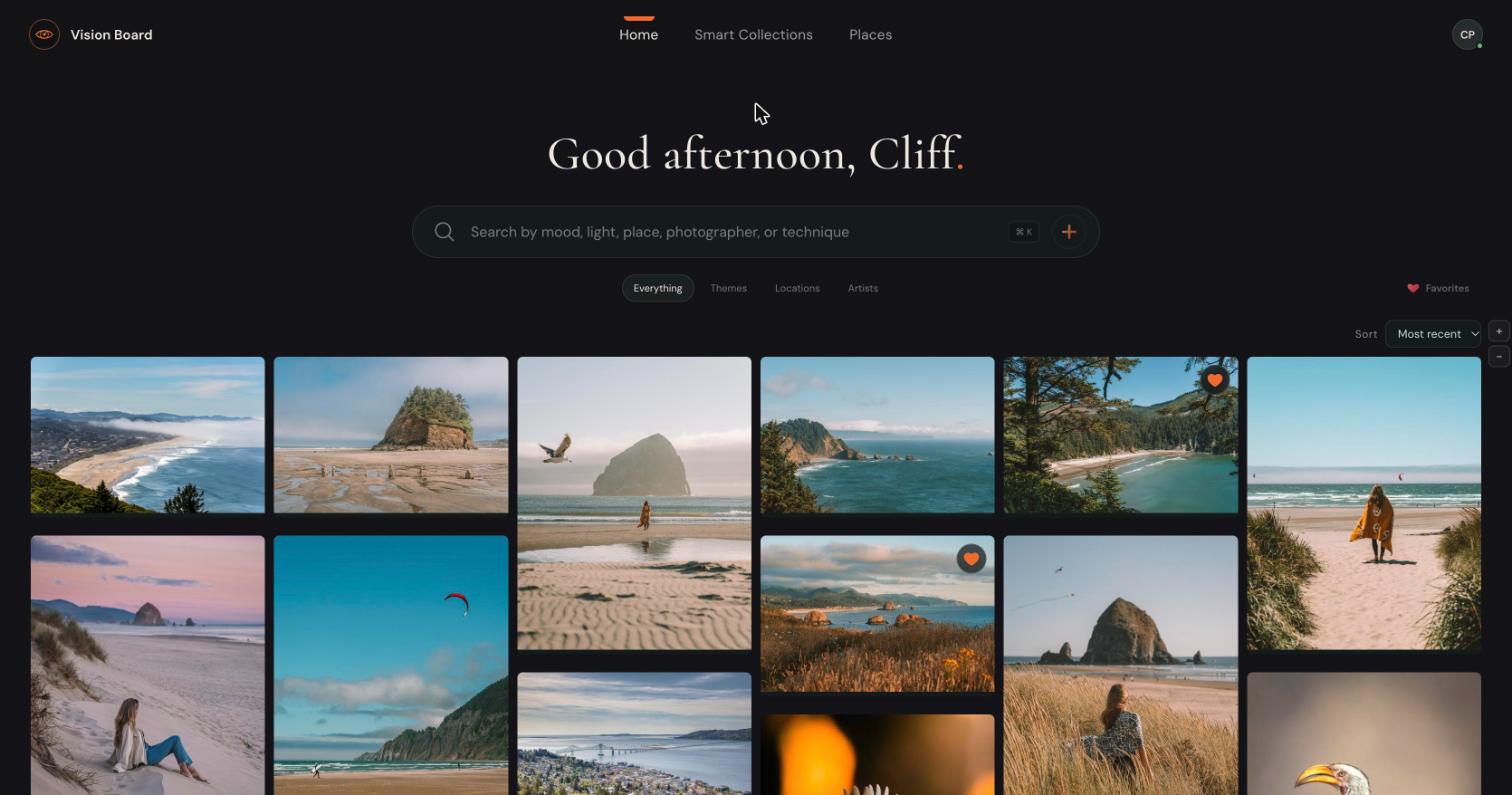
The Vision Board home — a masonry board of photographic references with search, themes, locations and artists
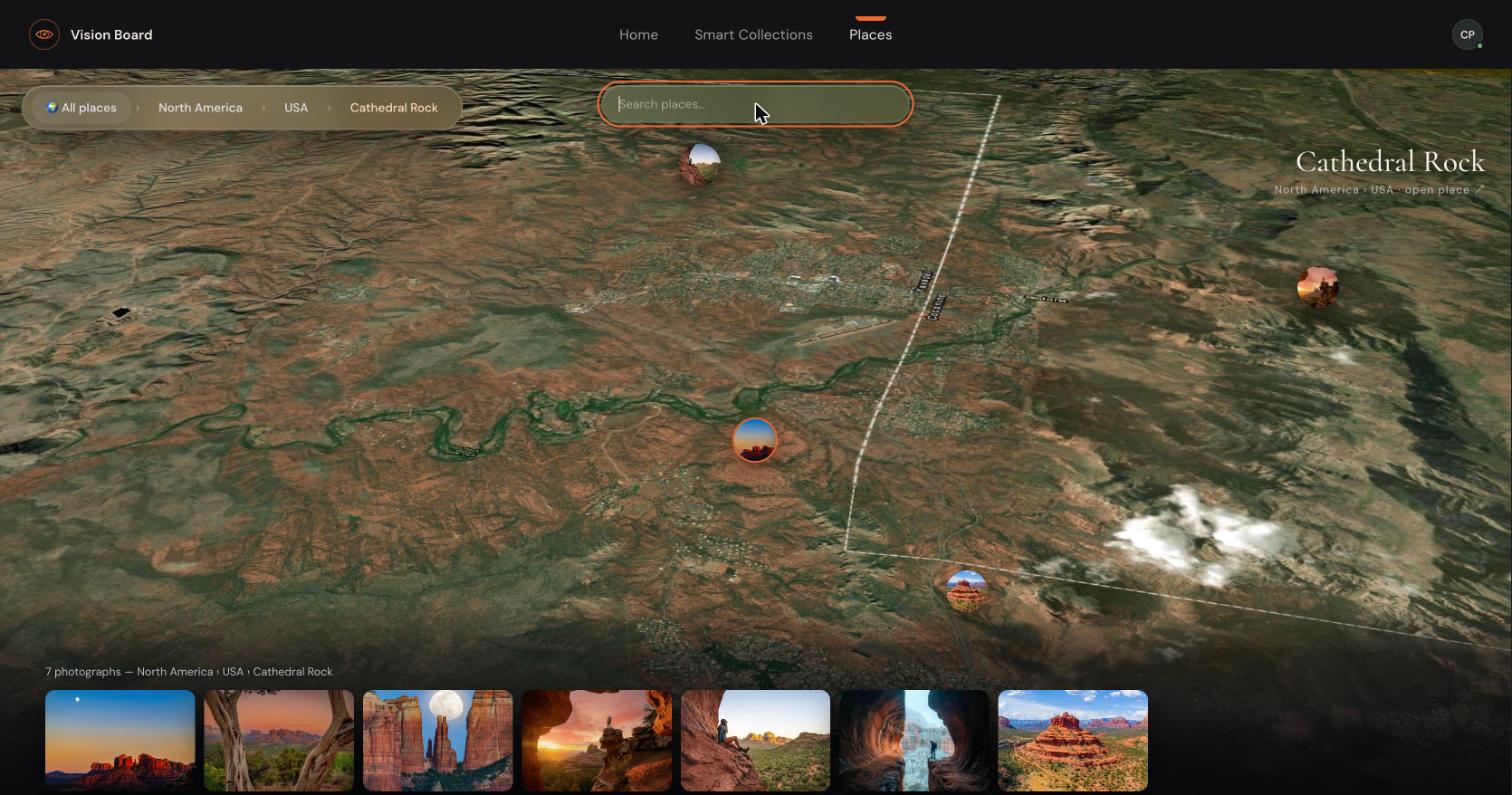
The Atlas diving into 3D terrain over Sedona — photo pins on the actual formations, a breadcrumb reading North America, USA, Cathedral Rock
The Atlas

From orbit to the butte
in one gesture.

Pins sit on the actual places — not the nearest town. Search "Sedona" or "Lào Cai," fly the terrain in 3D, and your board filters to what's in view.

From saved to shot

References that plan your next shoot.

Every place gathers what a photographer actually needs — then hands it to your maps for the field.

🧭

The Lowdown

Auto-researched scouting intel with sources — parking, trails, restrictions, local knowledge.

🗺️

Save for the field

One tap sends any location to Google Maps on your phone, ready for the morning you shoot it.

💡

Taste, organized

Themes grow out of what you actually save — grounded collections, not poetry.

"The work of workflow, eliminated — so you can get back to what matters: your photography." CLIFFORD PICKETT · THE LIGHTROOM ACADEMY